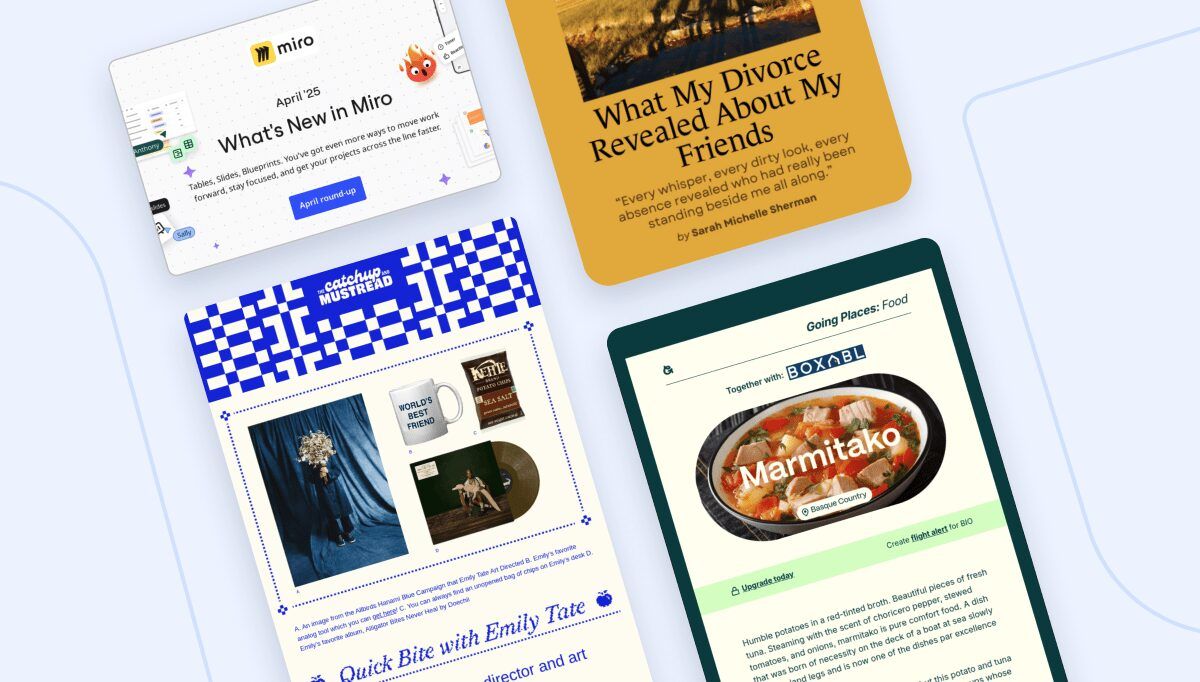
As a newsletter creator, it's easy to get caught up in the day-to-day routine. Brainstorming ideas and writing new content each week is already a big enough challenge for most of us. However, the key to a successful newsletter strategy lies not just in what you send but in understanding your audience's needs and preferences. Newsletter feedback surveys can help you unlock valuable insights to refine your content, monetize your efforts, and grow your audience in 2025.
In this guide, we'll explore 10 tips for harnessing the power of surveys and polls to get helpful feedback that will enhance your newsletter.
10 tips for newsletter feedback surveys and polls
The better you know your subscribers, the better your content will be. Here are our top 10 tips for gathering feedback from your audience.
1. Gather feedback with quick polls.
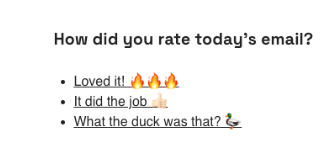
For those who prefer an agile approach to feedback, quick polls are an excellent alternative to long surveys. Ask your readers what they like, what they want to learn, or any other specific questions you have in mind.
You can use Feedletter to embed polls, just like the Failory Newsletter does with its quick feedback poll at the end of every issue:
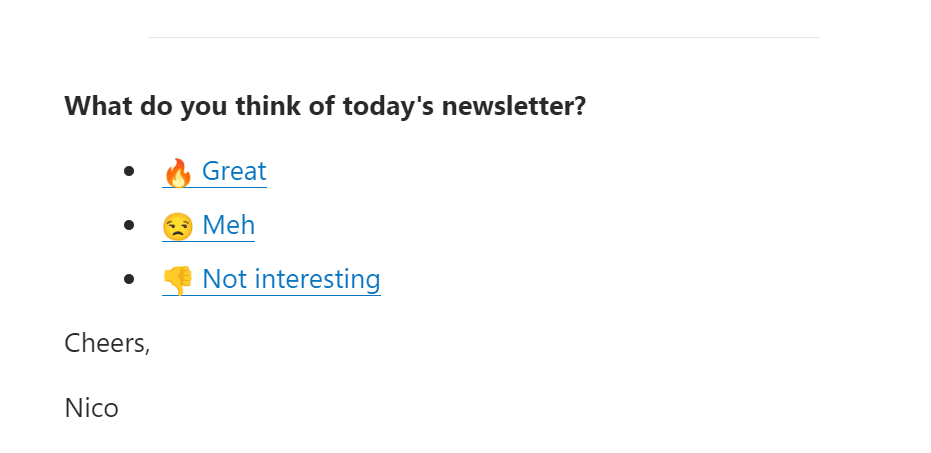
Alternatively, some ESPs like MailerLite offer built-in poll features that you can easily incorporate into your newsletters for free.
2. If you’re new to surveys, start small.
According to media expert Simon Owens, your audience is like a homegrown focus group. If you’ve never surveyed them, you’re missing out on valuable information.
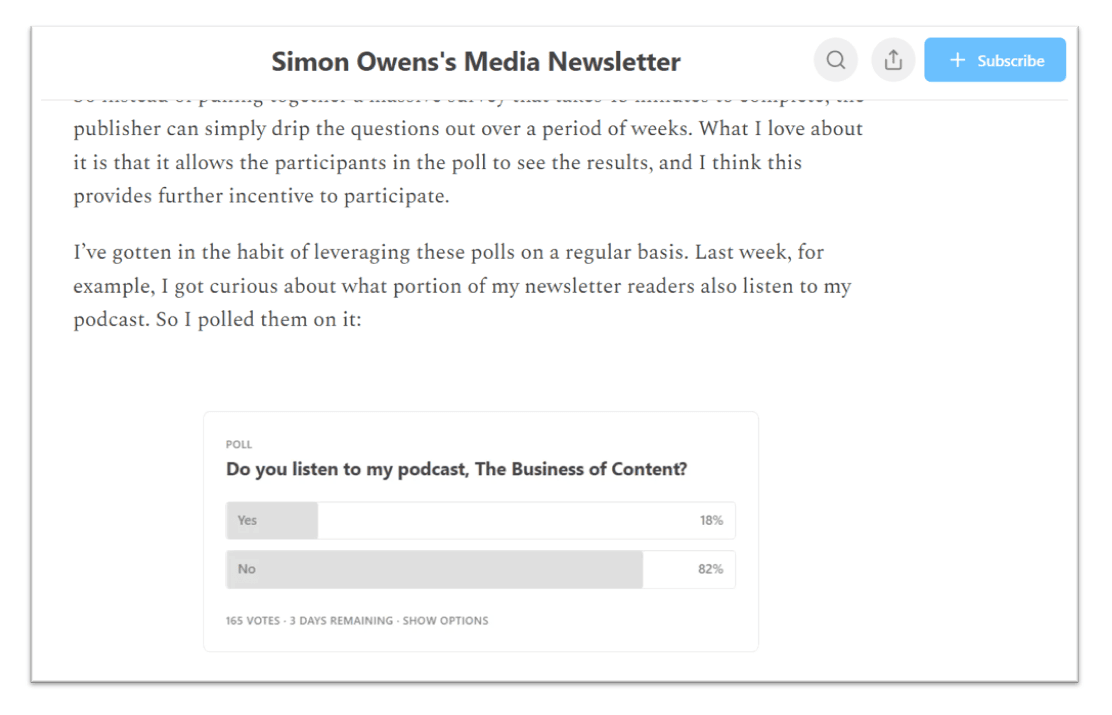
But it’s OK to start small. Long surveys can be overwhelming and might not yield as many responses, especially if you have a smaller audience. Instead, you can try a few short polls on multiple issues to spread out your questions over a few weeks.
3. Run an end-of-year audience survey.
Ephraim Gopin of Your Daily Dose of Nonprofit newsletter said it best, "Feedback is gold."
One effective way to gather this feedback is through an end-of-year survey. This is a great fit if you have an established newsletter with an engaged audience.
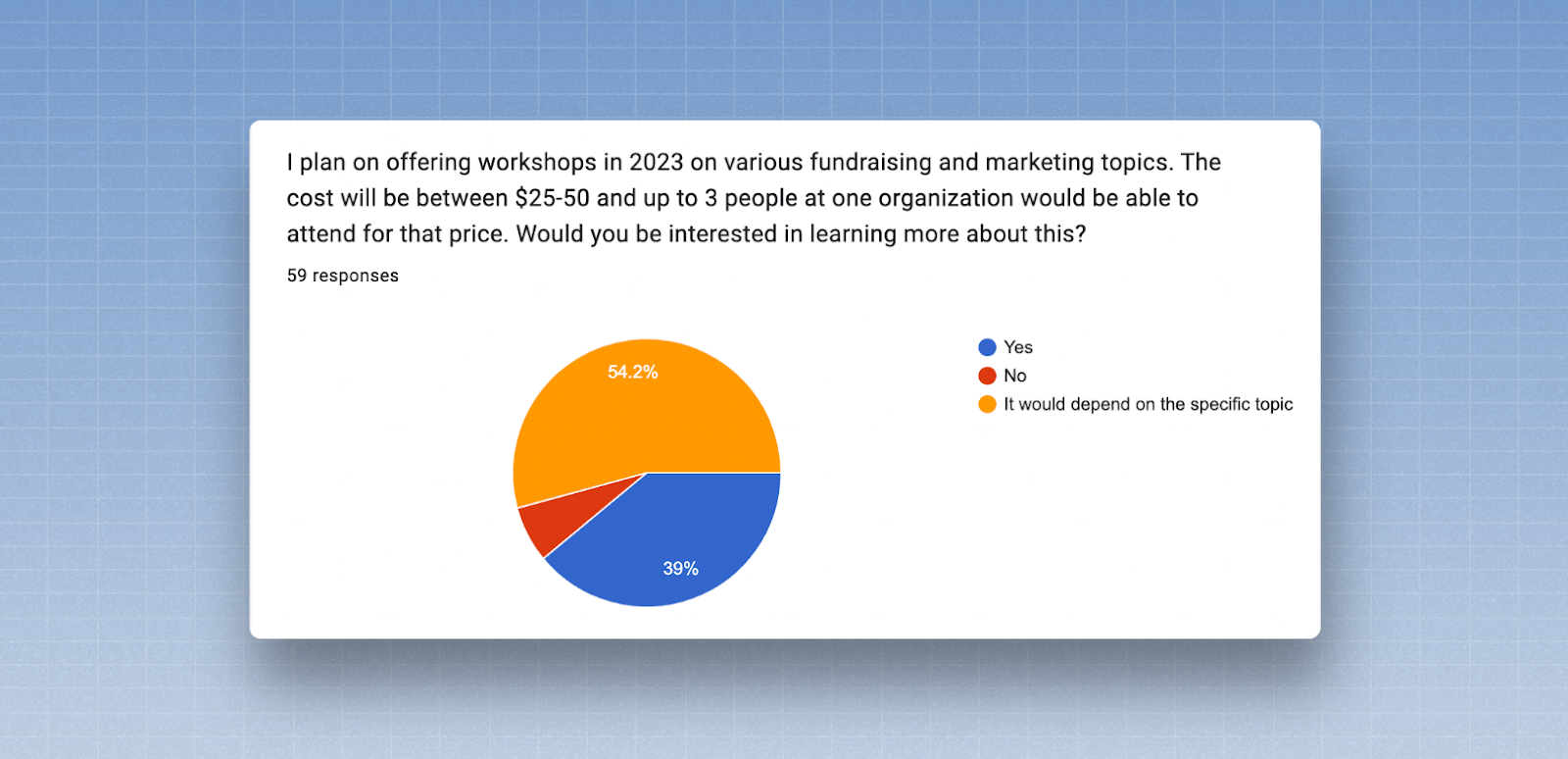
These insights can be a game-changer for your newsletter strategy, helping you make data-driven decisions to fine-tune your content and engage your audience.
4. Be transparent about your survey request.
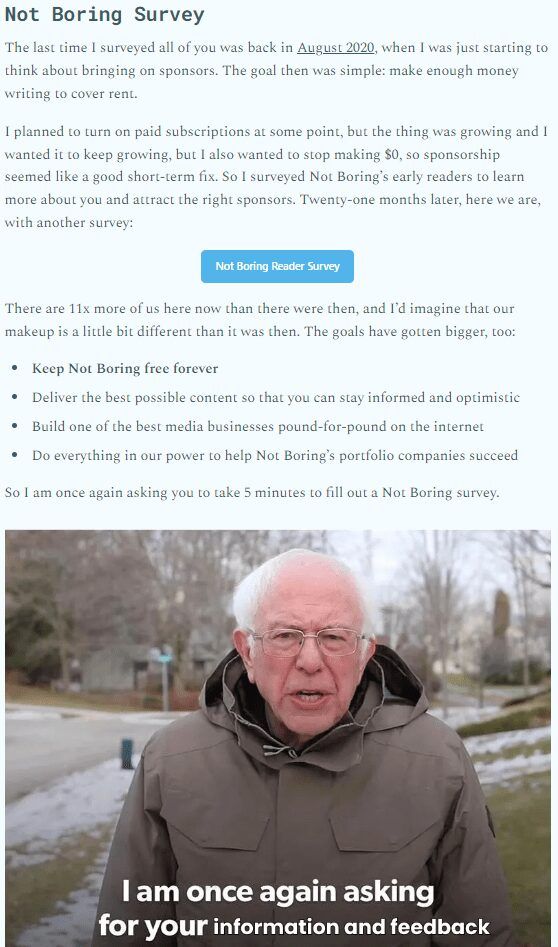
When you’re inviting people to your survey, transparency is key. Make sure your subscribers understand why you're conducting the survey, how it benefits them, and what you'll do with the responses.
We think this survey invitation from the Not Boring newsletter serves as an excellent example of how to make the ask:
5. Keep responses private.
Anonymous surveys encourage respondents to provide honest feedback. They also help increase response rates by helping respondents feel more comfortable responding.
If you do plan to follow up on responses, be sure to ask first. We appreciate how Dan Oshinsky asked for permission to share survey responses here:
6. Choose the right feedback tool
There are a few ways to run surveys: either via embedded survey blocks in your newsletter or 3rd-party form tools.
Most ESP-driven survey blocks are a great fit for short polls with a simple question.
For more robust surveys with more than a few questions, we typically recommend survey tools like Google Forms or Typeform.
7. Look at survey templates and examples for inspiration.
Not sure where to start? Try a feedback survey template. Check out the prebuilt form templates from Typeform, Tally, and Jotform.
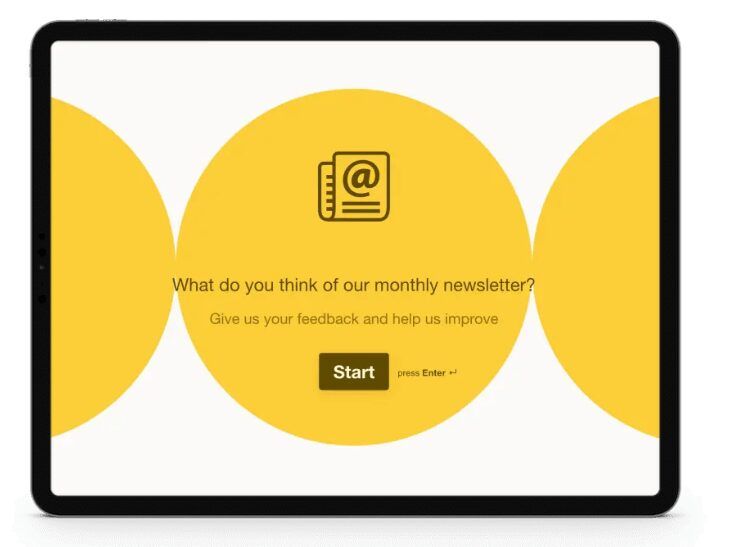
You can also get inspiration by reviewing other content creators' surveys. Next time you see one, be sure to take the survey and make note of your likes and dislikes.
8. Keep it short and simple.
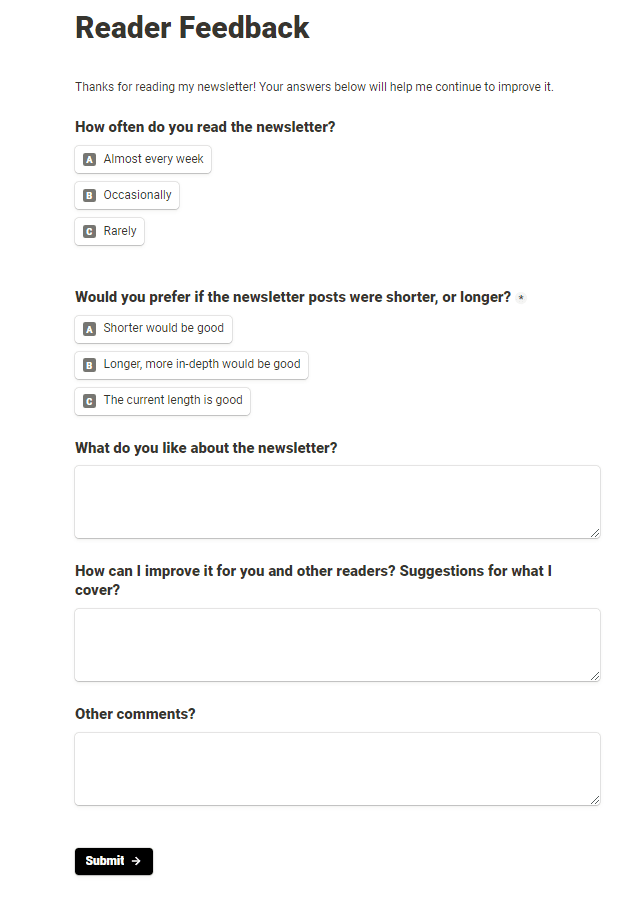
To create effective surveys, set clear goals and start with easy questions.
The key to getting a good response to your survey is to keep it brief and easy to complete. If you’ve ever clicked on a survey that had 100 questions, only to exit without completing it, you’ll know why brevity is important.
Keep surveys concise and use closed-ended questions. You can also think about incentives to encourage participation, like a giveaway or a raffle.
9. Use survey feedback wisely.
After you've conducted a survey, it's a good idea to create a customer profile for your newsletter. These profiles can help you better understand your audience, attract new readers, and build a consistent brand identity. Most importantly, they can be invaluable when it comes to showcasing the value of sponsorships to potential advertisers.
10. Share your results, and build your content
After you collect your results, you can share the insights with your audience or use them to plan out new content. For example, The Information regularly turns subscriber surveys into research reports, offering valuable insights into the tech industry.
Popular newsletter feedback survey tools
Once you've decided to incorporate surveys and polls into your newsletter, it's time to choose your toolset.
If you use an ESP like Beehiiv or Mailerlite, you can drag and drop polls right into your newsletter. Or, if you prefer an in-depth survey, you can use a free form builder plugin to gather more insights.
ESP polling
Several ESPs will let you embed clickable polls directly in your email. These polls are best suited for very brief polls or surveys, like customer satisfaction scores or star ratings.
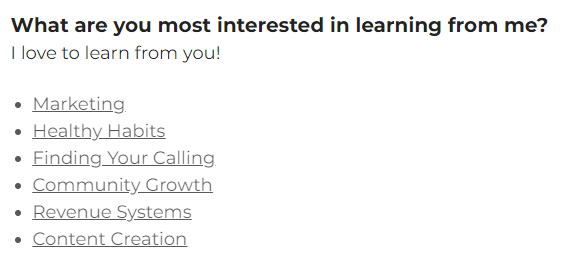
The following ESPs offer built-in polling:
- •Constant Contact
Ask quick questions with the drag-and-drop poll block. - •Beehiiv:
Polls are available on Grow and Scale plans. - •Ghost:
Embed an audience feedback survey in your email footer. - •Mailchimp:
You can use merge tags to embed a survey in Mailchimp campaigns. - •Mailerlite:
Mailerlite offers drag-and-drop polls for all accounts, even their free plan. - •Substack:
Embed a poll in your Substack email or post. Only subscribers can vote.
Feedback form builders
Alternatively, you can try a tool like Google Forms to collect your survey data. Simply pick a tool, build your form, and paste the form's URL into your newsletter.
Here are a few popular form builders that our readers recommend:
- •Google Forms
A free, user-friendly tool for collecting feedback with surveys and forms. - •Typeform
Typeform is a conversational-style form tool with a generous free plan. - •Jotform
Jotform is a drag-and-drop form editor for building surveys and collecting responses. Starter plans are free. - •Tally
Tally Forms is a free online form builder that allows you to create various types of forms and surveys without the need for coding skills. - •Sprig
Sprig is a user insights platform that helps bigger teams capture product insights at scale.
Final thoughts on newsletter feedback surveys
Running surveys in your email newsletters is a game-changing strategy to boost engagement, refine your content, and grow your audience.
Whether you choose to conduct end-of-year surveys, quick polls, or a combination of both, the insights you gather will be the key to success in 2024 and beyond. So, don't miss out on the opportunity to tap into the valuable feedback your audience has to offer.
Ready to start earning more from your newsletter? Sign up to Paved and join our Marketplace. It’s where thousands of writers find sponsorships from the best brands on the web.